Unified Conversation & Agent Management System
Unifying WhatsApp, Instagram, and RCS into a single collaborative platform that reduced response times by 62% and increased agent productivity by 133%.

What was broken?
Support teams were stitched together across fragmented tools, with no single source of truth for a WhatsApp conversation. Every chat felt like meeting the customer for the first time — no context, no structure, nothing to fall back on.
Chats were split across individual reps, with no unified inbox tying them together. So customers ended up repeating themselves every time a new agent picked up the thread.
There was no quick-reply system, no smart routing — agents typed the same common replies from scratch, every single time. That adds up fast across hundreds of conversations a day.
Agents started every chat cold — no order history, no past tickets, no sense of who they were even talking to. That context lived in people's heads, never in the system.
Supervisors had zero visibility into who was drowning and who was idle. We saw agents handling 40 chats at once while others sat with nothing — and nobody could see it happening in real time.
How will we know we succeeded?
Who are we designing for?
Two roles. Very different contexts. The system had to serve both without compromise.
"I'm handling 30 chats at once. By the time I figure out what someone ordered, they've already left."
- Resolve queries fast without switching apps
- See who's assigned what — no duplicate replies
- Use templates for common questions, not memory
- Repeating the same context gathering every conversation
- No visibility into whether a colleague already replied
- Tagging done retrospectively (or not at all)
"I don't know who's overwhelmed until someone misses an SLA. By then it's too late."
- Monitor team load in real time without interrupting agents
- Set rules that auto-distribute volume by skill or availability
- Pull weekly performance reports without manual exports
- No aggregate view of open vs. resolved queue
- Assignment is manual — first-come, first-served chaos
- Can't identify patterns in escalations or tag categories
The product map
Six interconnected modules, each solving one part of the broken workflow.
3-panel layout — chat list, active conversation, customer context. Everything visible at once, no switching.
Colour-coded conversation labels applied inline. Admins define; agents apply in one tap. Filterable in analytics.
Templated responses triggered by /shortcode. Reduces avg. response time for common queries significantly.
If/then logic for auto-routing conversations. Reduces manual triage by admins for most incoming volume.
Role-based access, availability status, and workload visibility. Admins see team load at a glance.
Resolution rate, FRT, volume by tag, and agent performance — weekly and monthly views for admins.
Want the full breakdown? See live UI for every module in the complete process case study.
See the full process case studyConversation Inbox — deep dive
Why a 3-panel layout?
Agents need three things at once — the conversation queue, the active chat, and the customer's history. The moment any of that gets pushed into a tab or a modal, you're adding a switching cost that compounds across 30-plus chats a day. A 3-panel layout was the only way to make that cost disappear.
- Always-visible tag strip — Applied tags appear inline in both the chat header and the list panel. Agents don't hunt for context.
- Customer history surfaced passively — Order count, LTV, and last contact date load automatically. Zero extra clicks.
- Agent status inline — Assigned agent shown in chat header. Prevents duplicate replies before they happen.
- Keyboard-first navigation — Arrow keys move between chats; /shortcode triggers quick replies without reaching for the mouse.
Each feature. Each decision.
Tagging System
Tags are the taxonomy layer that makes everything else — assignment rules, analytics, filtering — possible. We designed tags to be applied inline during a conversation, not retrospectively from a settings screen.
- Admin-defined tags prevent chaos at scale — agents can't create new tags mid-shift
- Multi-tag support per conversation (Order + VIP simultaneously)
Quick Replies
The single highest-leverage efficiency feature. Agents spend a significant portion of every shift typing variations of the same 12 responses. Quick Replies replace typing with a "/" trigger — keeping hands on the keyboard.
- Variables auto-populated: {customer_name}, {order_id}, {tracking_url}
- Admin-managed — consistent tone across the entire team
Assignment Rules
Manual triage was the admin's biggest time sink. Assignment Rules let admins encode their team logic once — and the system executes it on every incoming conversation, invisibly.
- Conditions: tag, keyword, contact property, time of day, agent availability
- Priority ordering — rules evaluated top to bottom, first match wins
Customer Context Panel
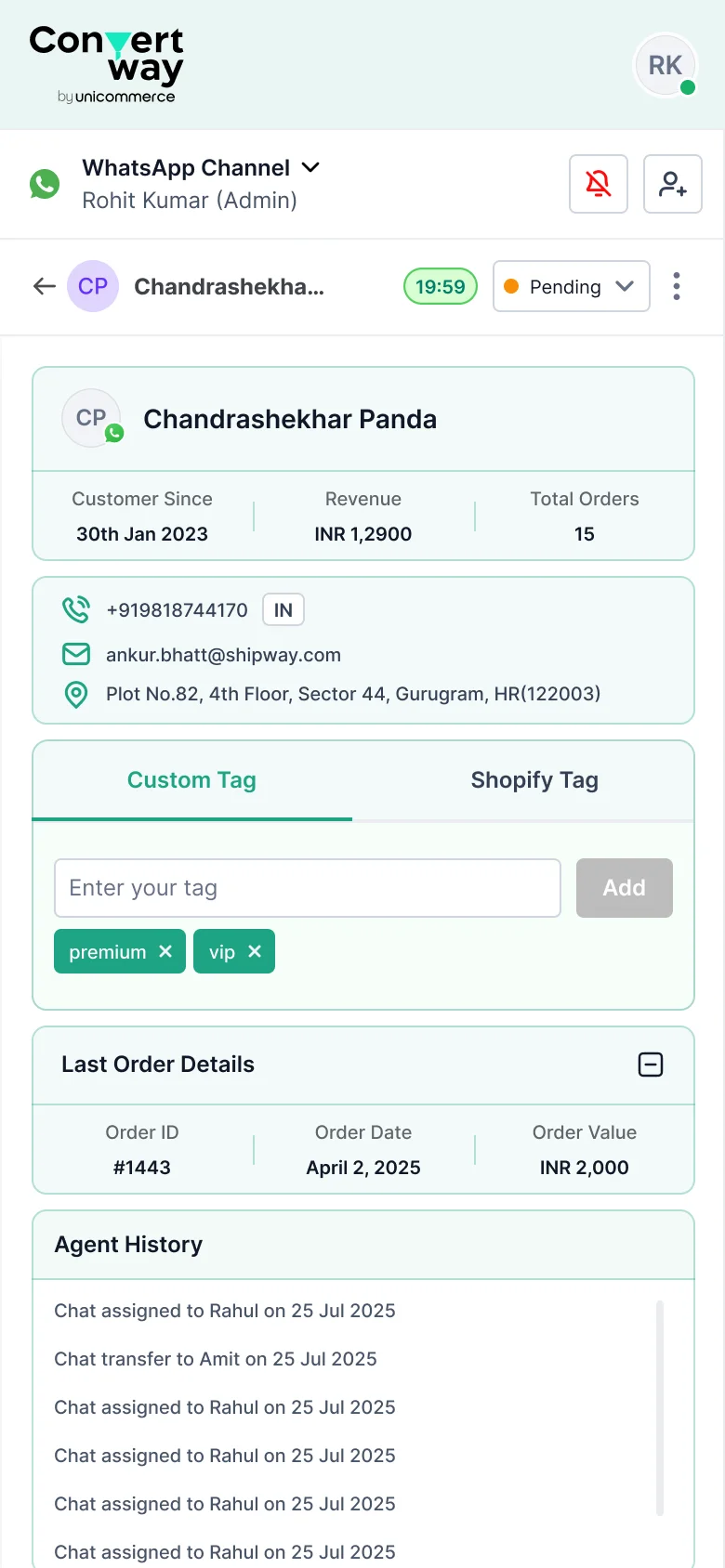
The most impactful change for agents wasn't a new feature — it was surfacing information that already existed. Order history, previous tickets, tags, and LTV were all in the database. We made them visible in the right moment.
- Auto-loads when a chat is opened — zero agent action required
- Applied tags visible across all past conversations, not just current
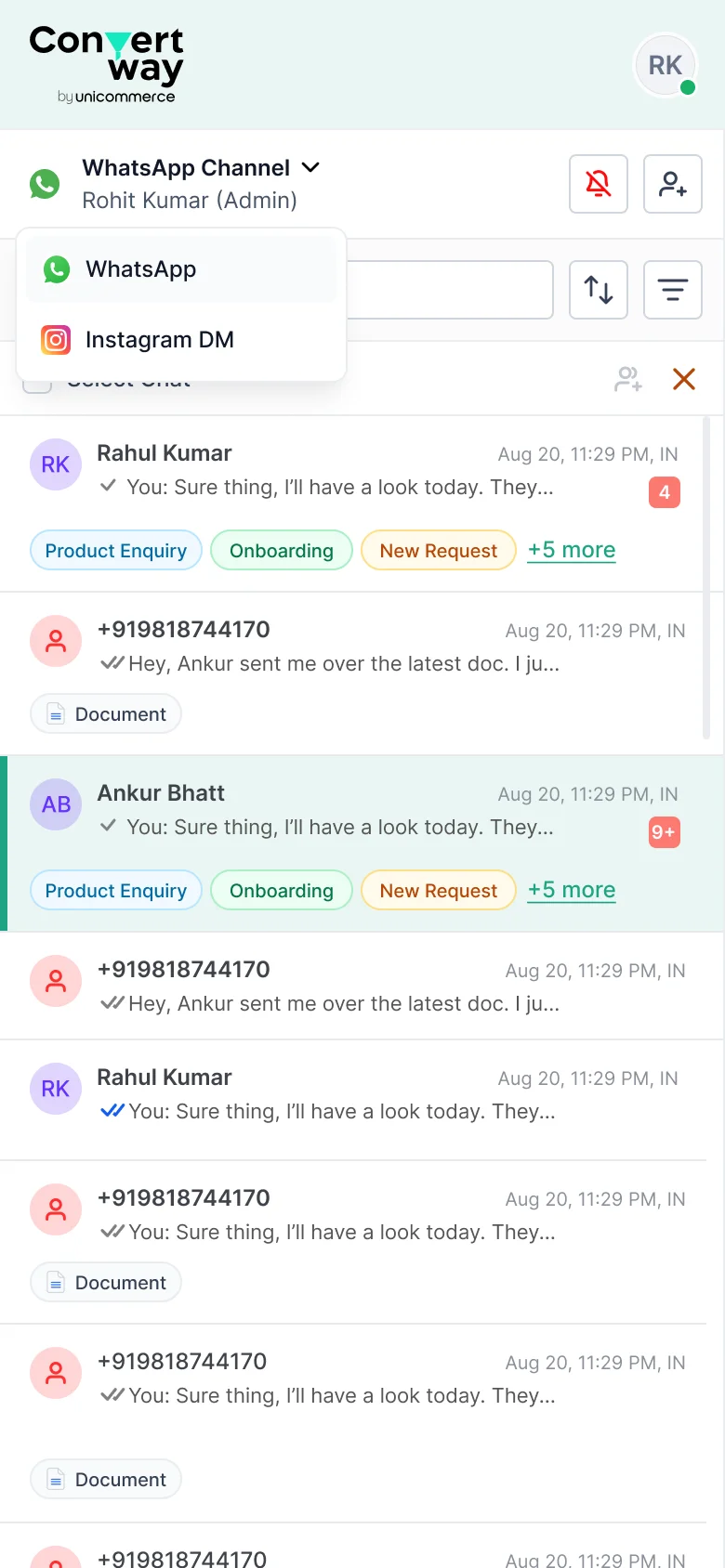
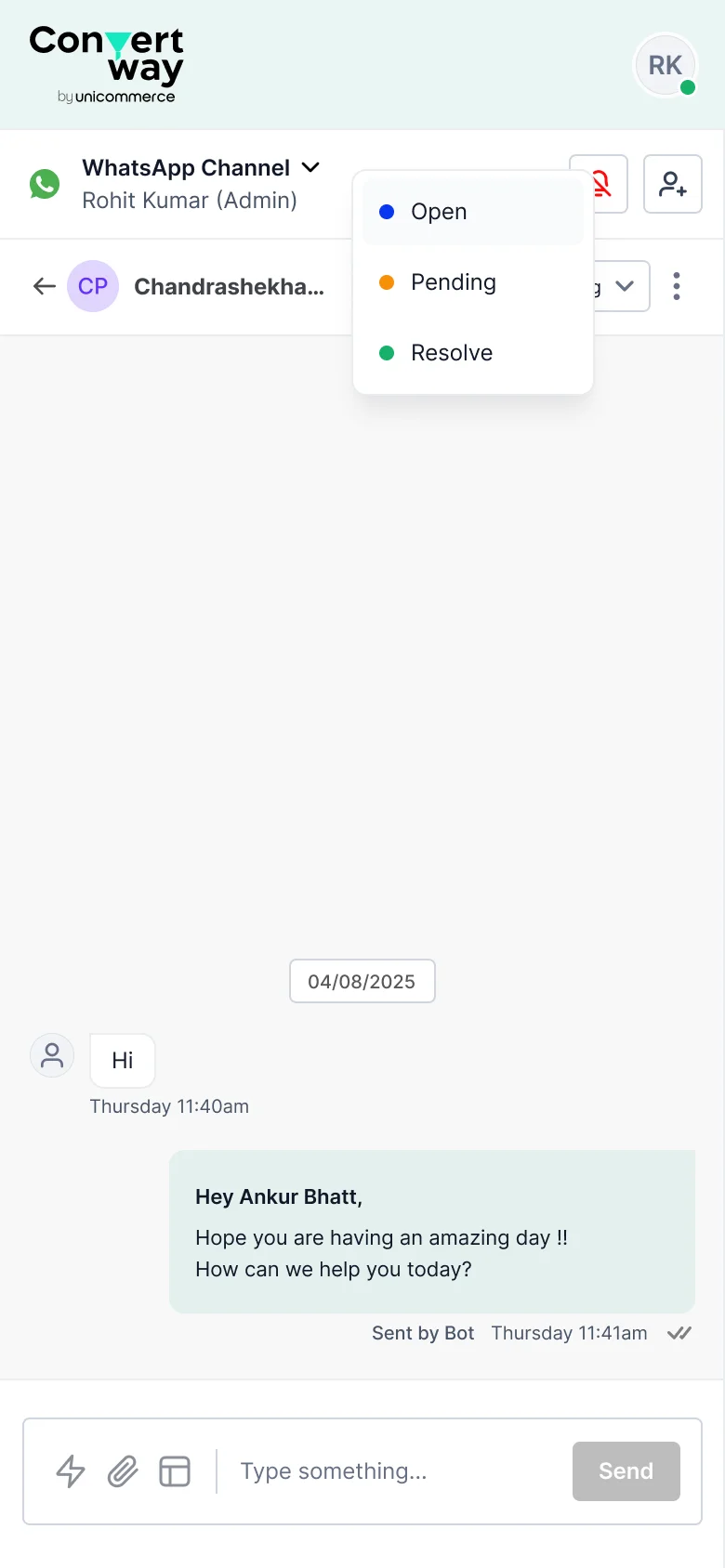
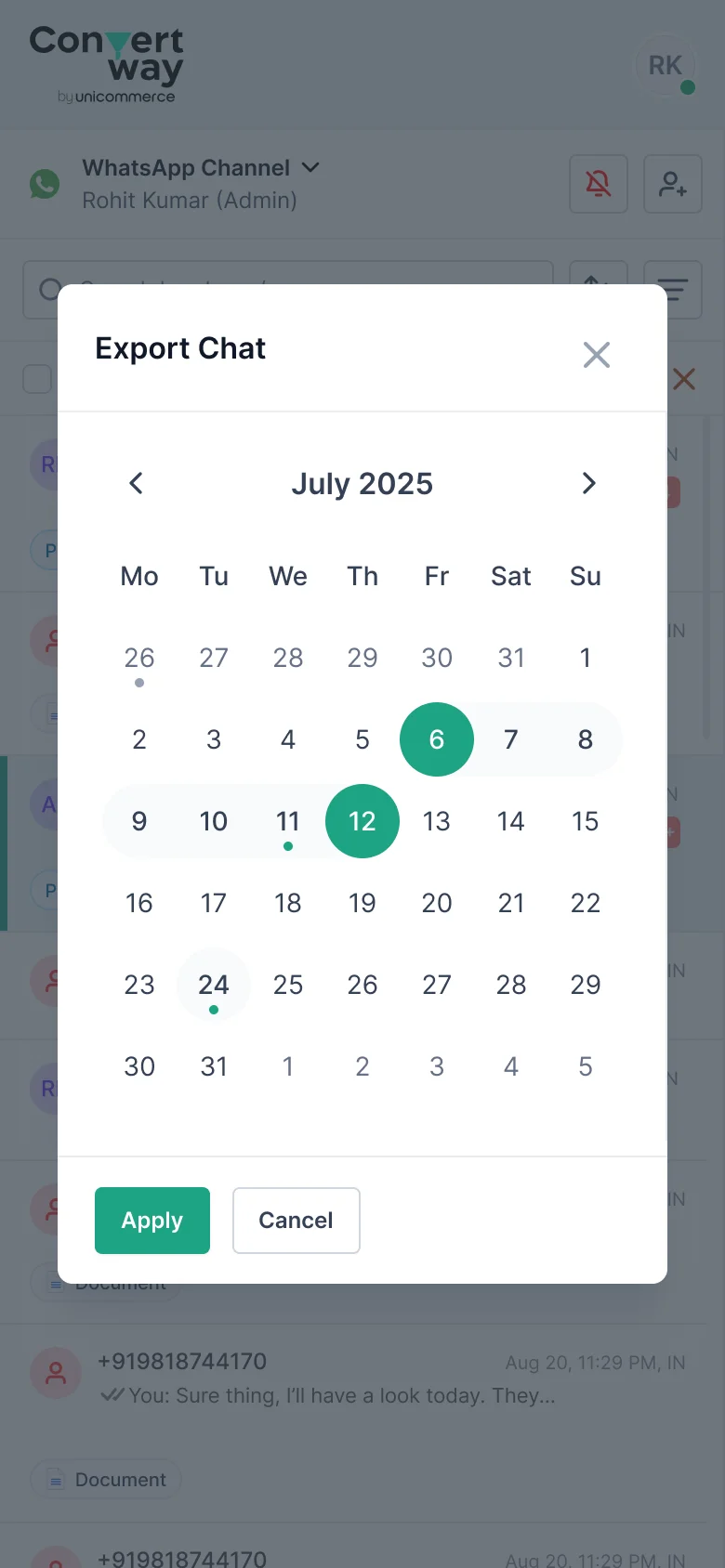
Designed for agents on the move
The same system, reflowed for mobile web — so agents can pick up, assign, and reply to conversations without a desk.
The agent journey
The happy path — and where the system makes decisions so agents don't have to.
Where junior designers stop
Edge cases aren't edge. They're the moments that define system trust.
"No conversations yet. When customers message you, they'll appear here."
First-time setup prompt surfaces onboarding checklist.
"Your plan has ended. Existing conversations are read-only."
Inline upgrade CTA, no dead ends, data preserved.
Banner: "Bot is handling this conversation. Override to take control."
One-click agent override; bot paused, not terminated.
"No tags yet. Create your first tag to organise conversations."
Contextual nudge at the exact moment the user needs it.
Inline error: "WhatsApp doesn't support this file type. Try JPG or PDF."
Format-specific guidance, not a generic error code.
Status bubble turns grey. Chats remain assigned but flagged for re-assignment.
Admin alert if chats unattended >15 min; no silent drops.
Making the invisible visible
Designed for the admin, not the analyst
The admin persona doesn't have time for pivot tables. They need to know, at a glance, whether the team is on track. Every metric was chosen against one test: "does this tell me what to do next?"
We chose relative % over raw numbers as the primary metric — "89% resolved" reads faster than "342 of 384" when scanning across 5 agents in 30 seconds.
The numbers that matter
Measured across 3 months post-launch with 3 pilot brands (Bella Vita, Rage Coffee, Bluestone).
All metrics tracked over 60 days post-launch across 3 pilot brands.
See the full 16-metric breakdownI make data-heavy decisions clear and trustworthy.
I'm Ankur Bhatt — a product designer with 13 years across logistics, pricing, and AI-driven B2B tools. Today I'm Senior Product Designer at Shipway, designing the courier-intelligence, failed-delivery, and support tools that 3,000+ D2C brands lean on under pressure.
I started in graphics, moved through web and three years of production frontend, then into product — so I read a decision from four sides at once: what to build, how it's built, what's right for the user, and what the business needs. That's what lets me turn dense, high-stakes screens into decisions people trust.
If you're building something data-heavy and want it to feel clear — let's talk.
Open to Senior / Lead Product Design roles — Delhi NCR, Remote, or Hybrid.