Unified Conversation & Agent Management System
Unifying WhatsApp, Instagram, and RCS into a single collaborative platform that reduced response times by 62% and increased agent productivity by 133%.

Support teams had no single source of truth
ConvertWay's customers — brands like Bella Vita, Rage Coffee, Bluestone — were losing sales, and it came down to one thing: their support teams couldn't keep up with customers across channels.
This wasn't just ConvertWay's problem — it's the market. 68% of eCommerce customers now expect WhatsApp support (Gartner, 2023), and they're bouncing across 3.2 channels on average before they even buy (McKinsey). Once a team's stretched across 3+ tools, response times slow by 47%. That's the cost of fragmentation, industry-wide.
Slow responses meant more abandoned carts. Agents were burning out — 30% left within a year. VIP customers weren't getting prioritized, so a brand's best buyers waited in the same queue as everyone else. And because nothing was automated, all of this compounded manually, every single day.
Agents were juggling three-plus tools — WhatsApp Business, Instagram comments, Instagram DMs, RCS, email — just to serve one customer. The moment a conversation moved channels, all context was gone. And there was no way to assign a conversation or see who was carrying the load.
We measured it: agents were switching tools 47 times an hour, 8 to 12 seconds a switch. Add it up and that's 15 to 20 minutes every hour — a third of the shift — spent just moving between apps, not talking to customers.
User Pain Points
"I have to remember which customer I talked to on which platform. By the time I find their order history, they've already messaged again."
"I waste 30% of my day just switching between apps. I know the answers, but I can't find the customer fast enough."
"I have no idea who's overloaded and who's idle. We can't route VIP customers to our best agents automatically."
Success Metrics Defined
Before any wireframes, I sat down with ConvertWay's product team and customer success to get clear on what success actually looked like.
- Reduce average first response time by 50% (from 8min to 4min)
- Increase conversations handled per agent per hour by 100% (from 12 to 24+)
- Achieve 85%+ successful resolution within 24 hours (WhatsApp's conversation window)
- Reduce new agent onboarding time from 10 days to 3 days
- Increase agent satisfaction score from 2.8 to 4.0+
- Reduce tool-switching incidents by 90%
Short on time? Read the outcome-led story version — same project, a fraction of the read.
View the short case studyResearch & Discovery
8 weeks of comprehensive research across 3 pilot brands, involving 20+ participants and analysis of 10,000+ customer conversations.
I shadowed 8 agents across 3 brands for full shifts — not just watching, but logging every tool switch, every interruption, every point of friction. That's where the baseline numbers came from.
Agents switched tools an average of 47 times per hour, with each switch taking 8–12 seconds — nearly 3 hours per 8-hour shift lost to context switching.
From there, 15 in-depth interviews with agents and 5 with team leads — mapping their pain points, the workarounds they'd already built for themselves, and where the existing tools fell short.
"The biggest frustration wasn't the number of channels — it was losing track of WHO the customer was and WHAT they needed." This shaped our entire IA decision: conversation-first, not channel-first.
Then I went through 10,000+ actual support conversations across every channel — looking for patterns, the queries that came up again and again, and how resolution paths differed by customer segment and time of day.
68% of conversations followed just 5 common patterns: order status, return/refund, product questions, payment issues, and delivery tracking. These became the foundation for the Quick Replies system.
I also put Zendesk, Freshdesk, Intercom, Front, and Crisp side by side — not to copy them, but to understand where the category had already solved this, and where it hadn't.
None handled WhatsApp Business API + Instagram + RCS in a unified way optimized for eCommerce. Most were built for email/chat, with messaging bolted on later.
Last, the technical reality check — WhatsApp's 24-hour conversation window, Instagram's API restrictions, how unevenly RCS is supported across carriers, and what real-time sync actually requires when multiple agents touch the same conversation.
Key Insights That Shaped Design
"The biggest frustration wasn't the number of channels — it was losing track of WHO the customer was and WHAT they needed."
Design Implication: So we built a persistent context panel — customer profile, order history, past conversations, visible no matter which channel they came in on.
"Agents felt guilty leaving VIP customers waiting, but had no way to know who was a first-time buyer vs. a repeat customer."
Design Implication: That became intelligent prioritization — visual flags for high-value customers, urgent queries, and anything at risk of missing its SLA.
"Agents worried that auto-assignment would dump all the hard cases on them unfairly."
Design Implication: So we made assignment rules transparent, not just automatic — agents could see the logic in real time, not just the outcome.
Design Process
From information architecture decisions to usability testing — how we arrived at the final solution through multiple iterations.
Phase 1: Information Architecture
Conversation-First vs. Channel-First Organization
✗ Channel-First (rejected): Separate tabs for WhatsApp, Instagram, RCS.
✓ Conversation-First (chosen): Organized by status — Unassigned, My Conversations, Team, Resolved.
Why: Agents think in terms of work to be done, not where it came from. Channel differentiation is handled through visual badges, not structural separation.
Phase 2: Wireframe Iterations
Tested with 5 agents. Felt cramped, couldn't see enough customer context. Agents constantly clicked back and forth to see who the customer was.
Tested with 8 agents. Agents kept opening new tabs to look up order details. "I need to see their orders WHILE I'm chatting, not after."
Tested with 10 agents. Context panel always visible. Trade-off: not optimal for <1440px screens → made the context panel collapsible.
Phase 3: Usability Testing
Task: Handle 3 simultaneous conversations.
Finding: 4/6 agents lost track of which conversation was active.
Fix: Persistent highlight on the active conversation + keyboard shortcuts (/, Cmd+K).
Task: Collaborate with a teammate on a complex refund query.
Finding: 7/10 didn't discover the internal notes feature.
Fix: Made internal notes more prominent with a toggle + tooltip.
Results: 86% preferred the new system · 42% faster task completion · 68% fewer wrong-customer errors · agent satisfaction 3.9/5 (from 2.8).
Surprise: Agents loved keyboard shortcuts more than expected — built a 15-shortcut panel.
Final Solution
A unified platform that brings together conversations from WhatsApp, Instagram, and RCS with intelligent automation and team collaboration.
Unified Conversation List
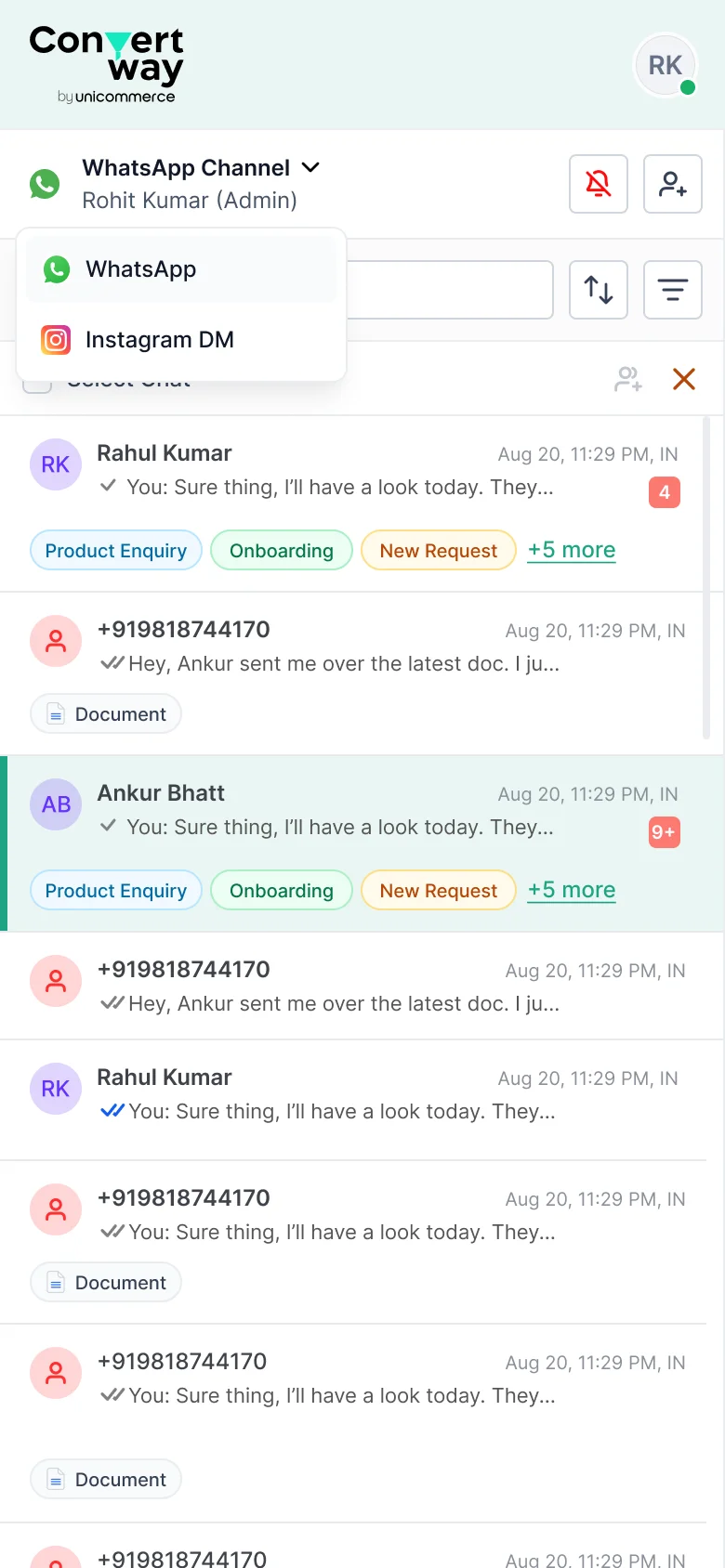
All conversations from WhatsApp, Instagram, RCS in one prioritized list with smart filters, real-time updates, and visual notifications.
- Smart filters: Unassigned, Mine, Team, Resolved, VIP, Urgent
- Real-time sync across all agent devices
Intelligent Auto-Assignment
Rule-based assignment engine with a visual editor. Supports round-robin, skill-based, availability-based, and hybrid routing.
- IF/THEN rule builder — no code, no engineering dependency
- Real-time load balancing shows agent capacity %
Transparency builds trust. Agents can see why they got a conversation, reducing automation anxiety.
Context-Rich Customer Panel
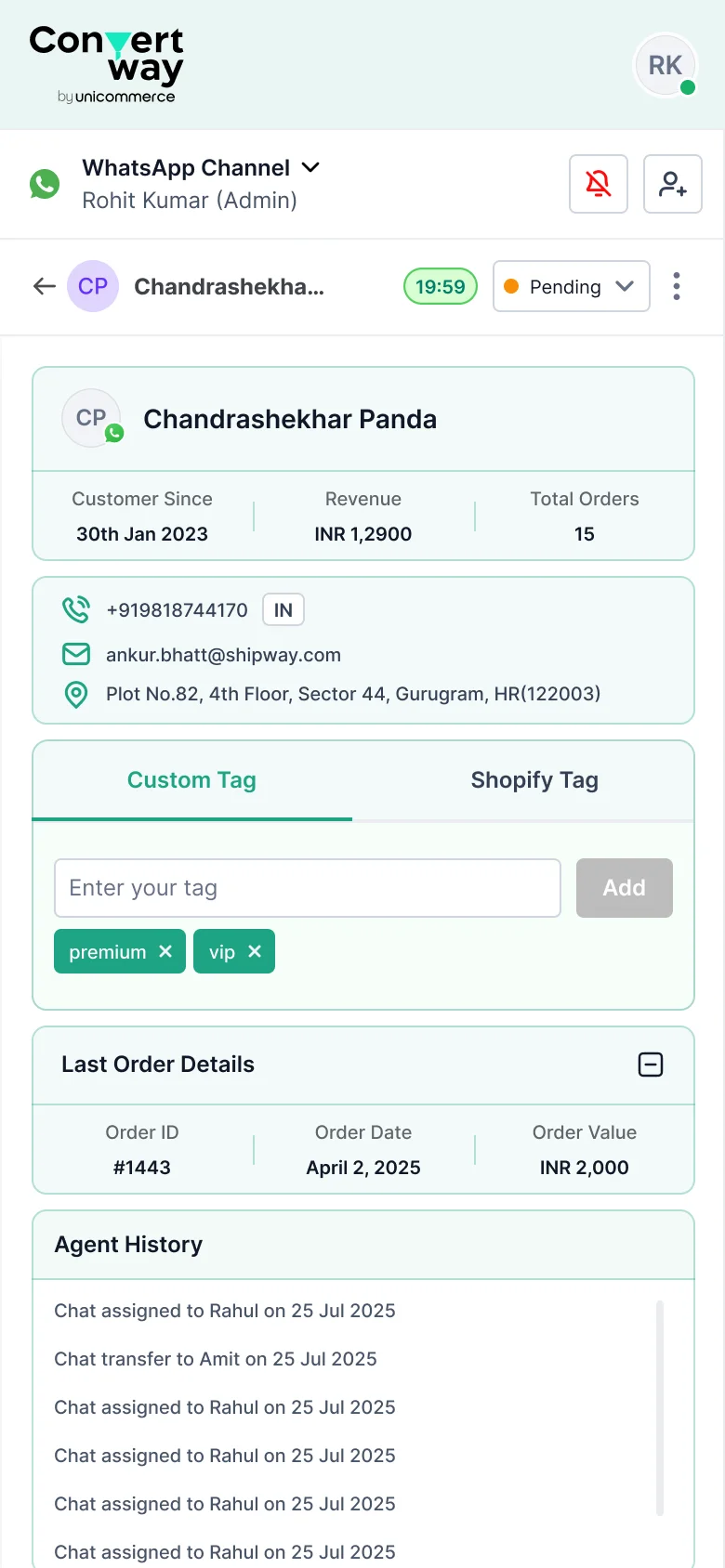
A right-side panel that shows complete customer context without leaving the conversation.
- Order History: Last 5 orders with quick actions
- Quick Actions: Discount code, escalate, create ticket
Internal Collaboration Tools
Internal notes, conversation transfer, and a team activity feed for seamless collaboration.
- @mentions to notify specific teammates
- See who's viewing the same conversation (Google Docs-style)
Quick Replies & Templates
A searchable library of pre-written responses with personalization variables — triggered by a "/" command, keeping hands on the keyboard.
- Personalization variables auto-populate: {customer_name}, {order_id}
- Categorised by topic — agents find the right reply in <3 keystrokes
Advanced Tagging System
Two tag types — System tags (auto-applied) and Custom tags (manual) — searchable and filterable across the whole system.
- Tags surface directly in analytics — volume and resolve-time per category
- Bulk tagging for team leads
Real-Time Analytics Dashboard
Live metrics for team leads to monitor performance and spot bottlenecks.
- Per-agent view: Workload, performance, availability
- Heatmap showing peak conversation times by channel
24-Hour Window Tracker
A visual timer showing time remaining in WhatsApp's 24-hour conversation window.
- Warning + critical states as the window closes
- Prevents 83% of conversation expirations (measured post-launch)
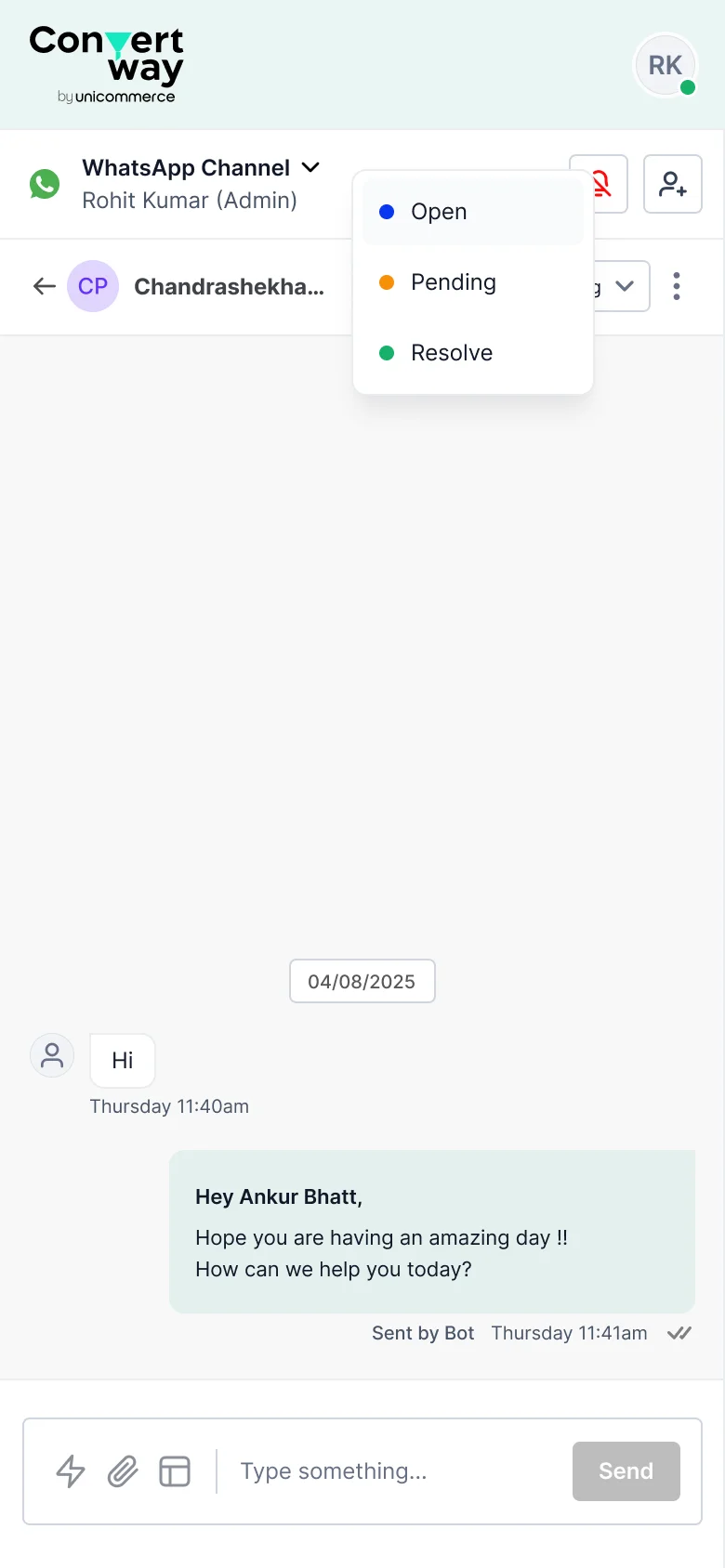
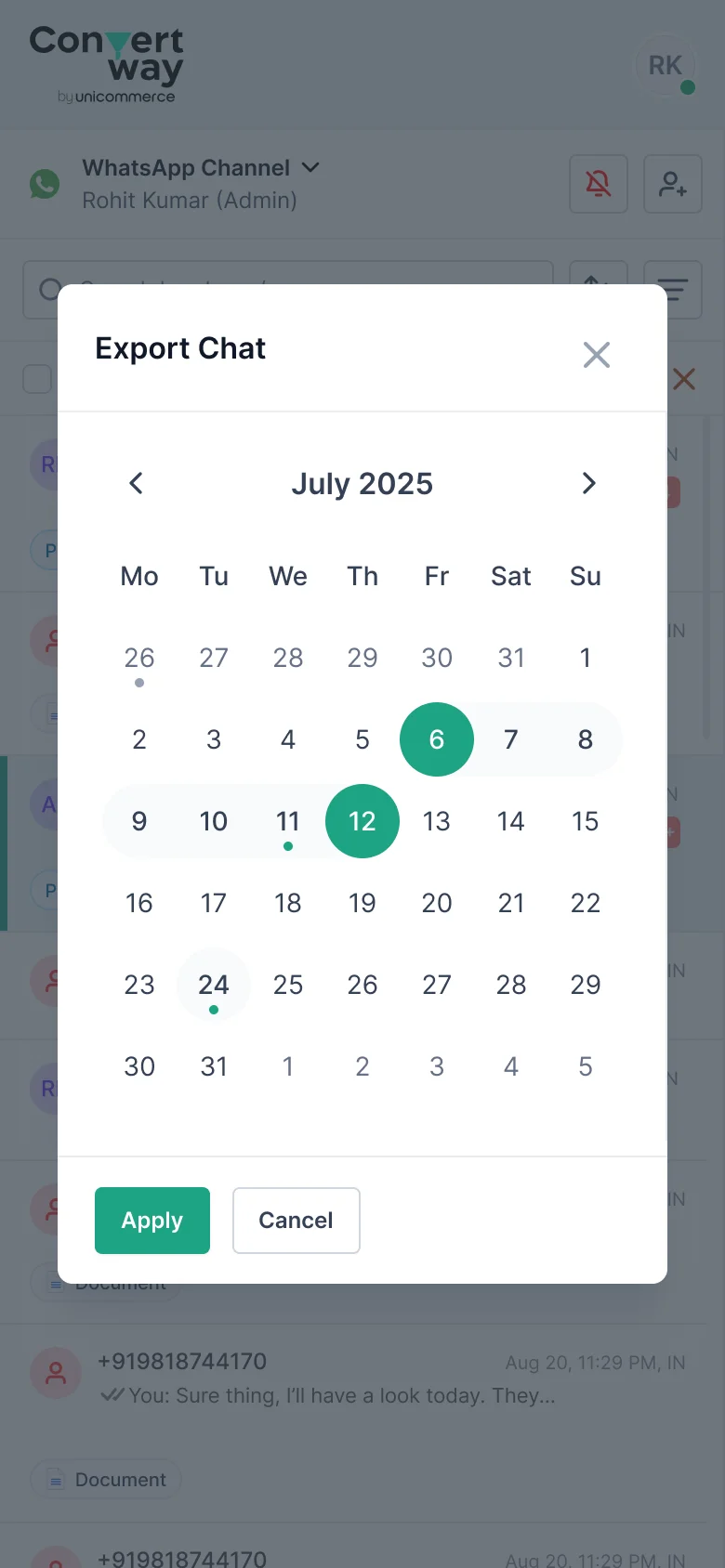
Designed for agents on the move
The same system, reflowed for mobile web — so agents can pick up, assign, and reply to conversations without a desk.
The Numbers That Matter
Measured across 3 months post-launch with 3 pilot brands (Bella Vita, Rage Coffee, Bluestone).
All metrics tracked over 60 days post-launch. FRT measured from first inbound message to first agent reply. Workload distribution measured by standard deviation in open chat count across agents during peak hours. Baseline established from a 30-day pre-launch period.
Quantitative Impact
Breaking down the metrics by category to show the full picture of impact.
Qualitative Feedback
"I can finally focus on helping customers instead of hunting for information. This saves me hours every day."
"The 24-hour timer for WhatsApp is a lifesaver. I never miss a conversation window anymore."
"I can see exactly where my team is struggling and redistribute work in real-time. Game changer."
"Our response times dropped so much that customers now compliment us on being 'lightning fast'. This directly impacted our reviews."
Skills Demonstrated
This project pulled on more than visual design — research, systems thinking, and business framing all mattered just as much. Here's where each one showed up.
- Contextual inquiry & user shadowing (8 full-shift observations)
- In-depth user interviews (20 participants total)
- Conversation analysis (10,000+ data points)
- Usability testing (3 rounds, 24 participants)
- Competitive analysis (5 platforms evaluated)
- Quantitative data analysis & metrics tracking
- Complex state management (multi-user, real-time)
- Micro-interaction design (typing indicators, assignments)
- Keyboard-first navigation (15 shortcuts designed)
- Progressive disclosure patterns
- Error state & edge case design
- Responsive layout design
- Multi-user collaboration design
- Role-based access control (agents vs. team leads)
- Real-time sync architecture (with backend engineers)
- Scalability planning (10 agents → 1000+ agents)
- Cross-channel data normalization
- Information architecture for complex systems
- Design system contribution (23 new components)
- Consistent visual language across 3 user types
- Data visualization for the analytics dashboard
- Accessibility compliance (WCAG 2.1 AA)
- Responsive web design
- Design tokens & component libraries
- Metrics-driven design decisions
- ROI justification for features (38% cost reduction)
- Stakeholder alignment (product, eng, customer success)
- Adoption strategy & onboarding optimization
- Post-launch analytics tracking & iteration
- Business case development
- Worked within WhatsApp Business API constraints
- Designed real-time features (WebSocket architecture)
- Created technical specs for engineering handoff
- Participated in architecture discussions
- API limitation workarounds & solutions
- Cross-functional team collaboration
The Rules We Designed By
Four core principles that guided every design decision throughout the project.
Show complexity only when the user needs it — not upfront.
Assignment rule conditions are hidden behind an "Add Condition" expand — new admins see a simple form; power users unlock the full logic builder.
Optimize for the 100th interaction, not the first.
The /shortcode trigger and keyboard navigation were prioritized over a polished onboarding tour — agents do this 40× a day, not once.
Don't make users remember what they've already seen.
Tags, agent avatars, and conversation status are always visible in the list view — agents never open a chat to check who owns it.
The system should always communicate what it's doing.
Bot active states, agent availability, rule execution, and assignment changes are all surfaced inline — no silent background actions.
What Building This Taught Me
The hardest part wasn't the interface — it was understanding that agents and admins have fundamentally different mental models of the same system.
1. Earlier Agent Shadowing: Started shadowing in week 3; should've started day 1. Would've caught the "context switching" insight earlier and saved 2 weeks of iteration.
2. Prototype with Real Data Sooner: Early prototypes had lorem ipsum and fake customer names. Agents couldn't evaluate realistically. Would've used anonymized real conversation data from week 1.
3. More Focus on Team Lead Experience Initially: Spent 80% of design time on agent experience, 20% on team lead. Team leads are decision-makers and budget holders. Should've been a 60/40 split to accelerate adoption and get stakeholder buy-in earlier.
I make data-heavy decisions clear and trustworthy.
I'm Ankur Bhatt — a product designer with 13 years across logistics, pricing, and AI-driven B2B tools. Today I'm Senior Product Designer at Shipway, designing the courier-intelligence, failed-delivery, and support tools that 3,000+ D2C brands lean on under pressure.
I started in graphics, moved through web and three years of production frontend, then into product — so I read a decision from four sides at once: what to build, how it's built, what's right for the user, and what the business needs. That's what lets me turn dense, high-stakes screens into decisions people trust.
If you're building something data-heavy and want it to feel clear — let's talk.
Open to Senior / Lead Product Design roles — Delhi NCR, Remote, or Hybrid.